Can We Just Agree How to Sort....?
December 2nd, 2016
By: Carlin "Rick" Smith
As the music world becomes increasingly digital in nature we rely upon various library managers either on the computer itself or embedded into music servers or digital transports. One of the more frustrating issues is how these various library managers sort your music.
This seems like a surprising problem given that for the most part as a society we have agreed that A comes before B, etc.
But do numbers come before A?
Do I ignore a leading "The" in front of a name?
Do I use some other grouping mechanism that the user can't control? (Grumble)
Do I use an Album Artist or regular Artist to sort if they are different?
Which metadata does a given library manager use to sort - i.e. sort metadata field or ignore those and use artist or album field?
Each of these issues taken into the context of an interaction with a single digital library is perhaps something that can be dealt with or ignored. However, given that many users might start with a library or might be introduced with something like iTunes and then graduate to a music server or other device are forced to interact with that facts that many library managers just don't sort the same. If your library is large trying to fact check compare is time consuming.
Let's look at a few examples with the same albums where each library is configured to sort by Artist first and Album next in ascending order. In a few cases I will pass judgement on decisions made by the library manager.
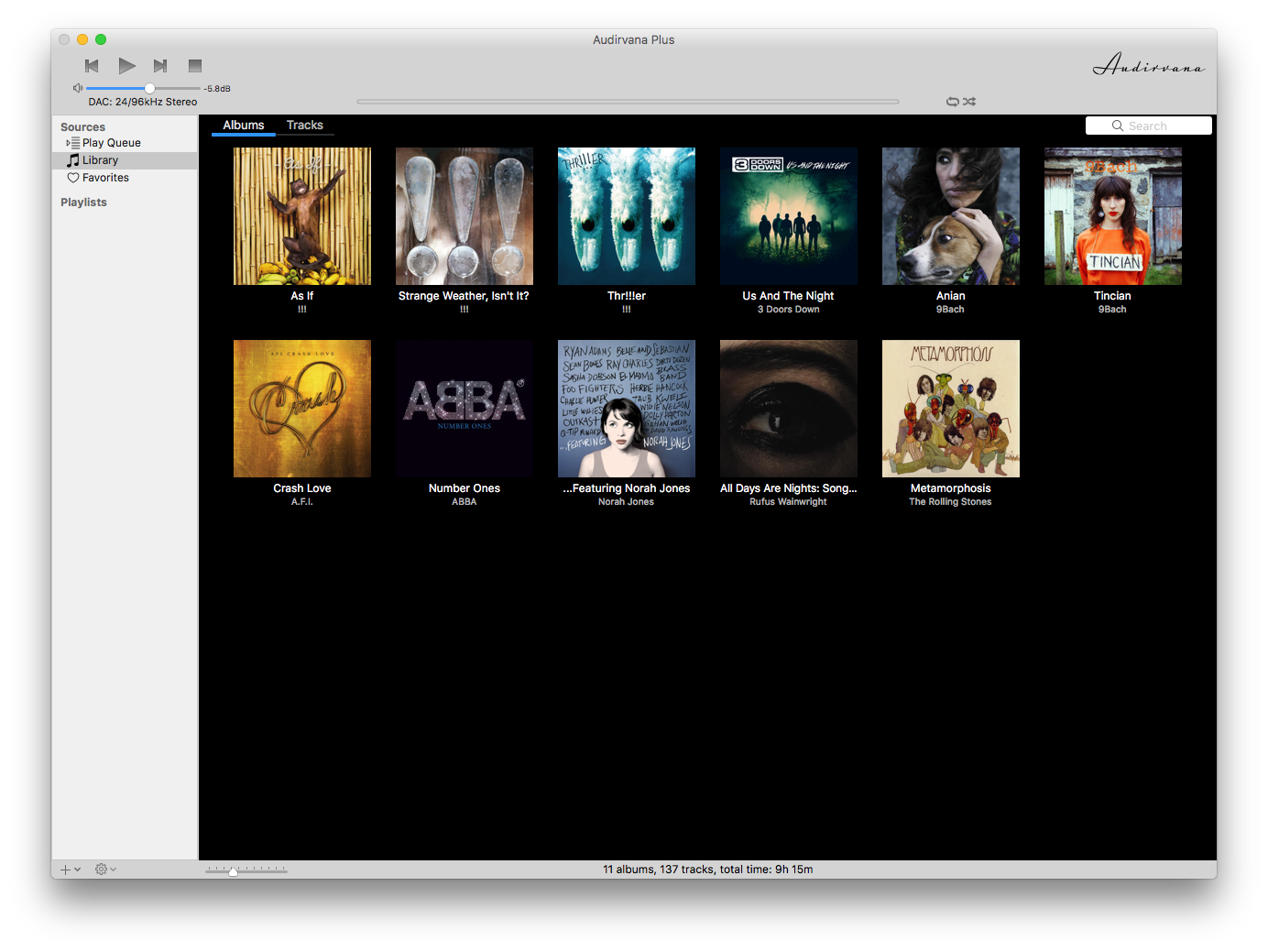
The first is Audirvana Plus - special characters and numbers before letters. Notice however "The" is recognized and therefore sorted as T and located after Rufus where if Rolling Stones would have been used would have been before Rufus.
The second is JRiver Media Center and it appears to follow same sorting approach as Audirvana Plus. 
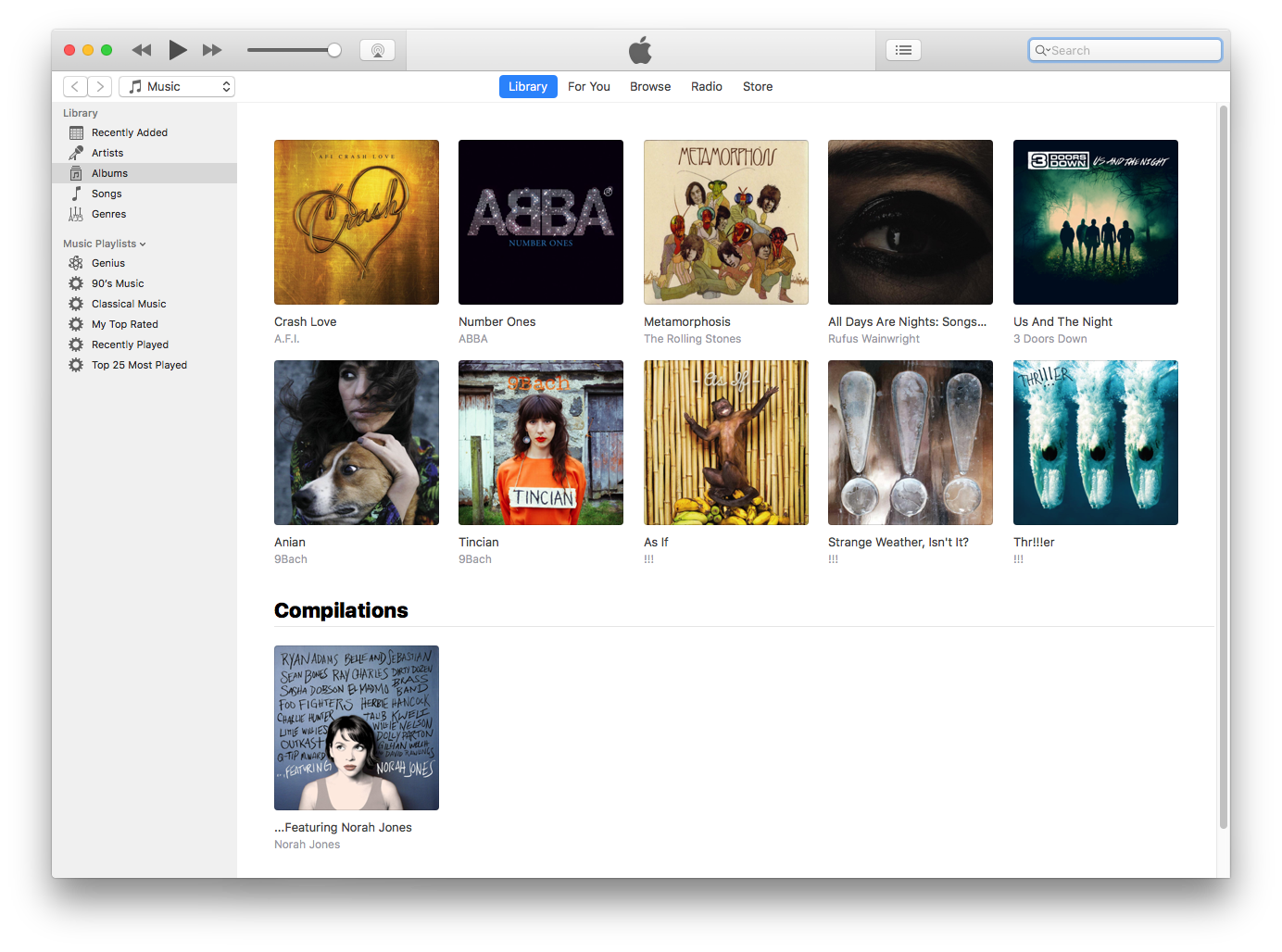
The third example is iTunes. Lots of differences. Notice that numbers come AFTER letters and that special characters come after numbers. This is hardly standard and iTunes a few versions ago sorted more like the first examples in this regard. Also, notice "The" is ignored in the Rolling Stones album thus sorting before Rufus. Lastly, and this one is quite ridiculous is the separate section called "Compilations." Contained in the metadata of digital music files is a compilation bit which is set to TRUE for this album and iTunes chooses to place the album at bottom and the user has no control of this. Even more strangely if you turn on the iTunes status bar which displays how many items are in the library or folder selected it doesn't count the compilations. Let's move on......
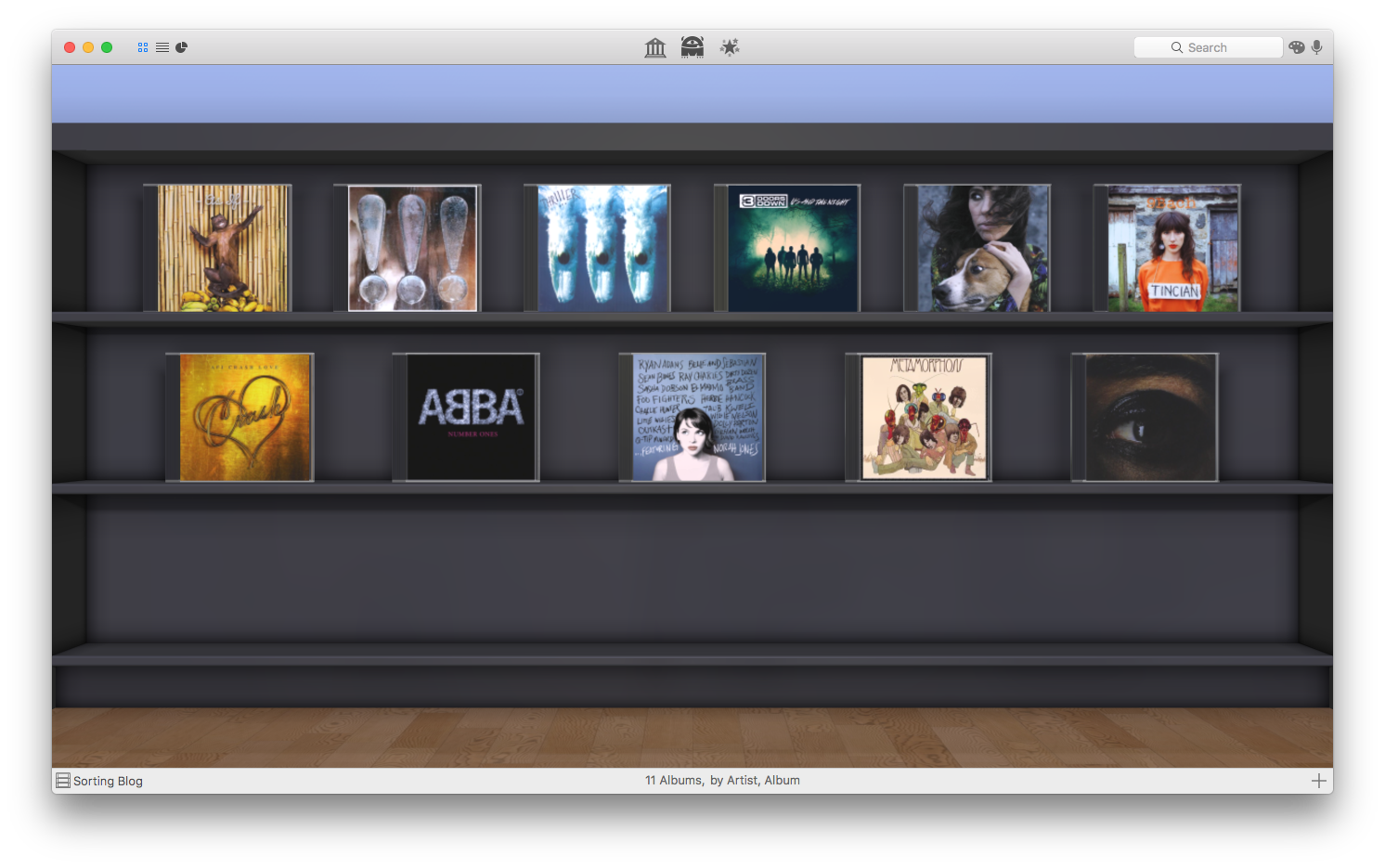
Next is Delicious Library which is not a digital music manager per-se but an application used to track your inventory. Similar sorting as first examples but again ignoring "The" and therefore sorting Rolling Stones before Rufus.
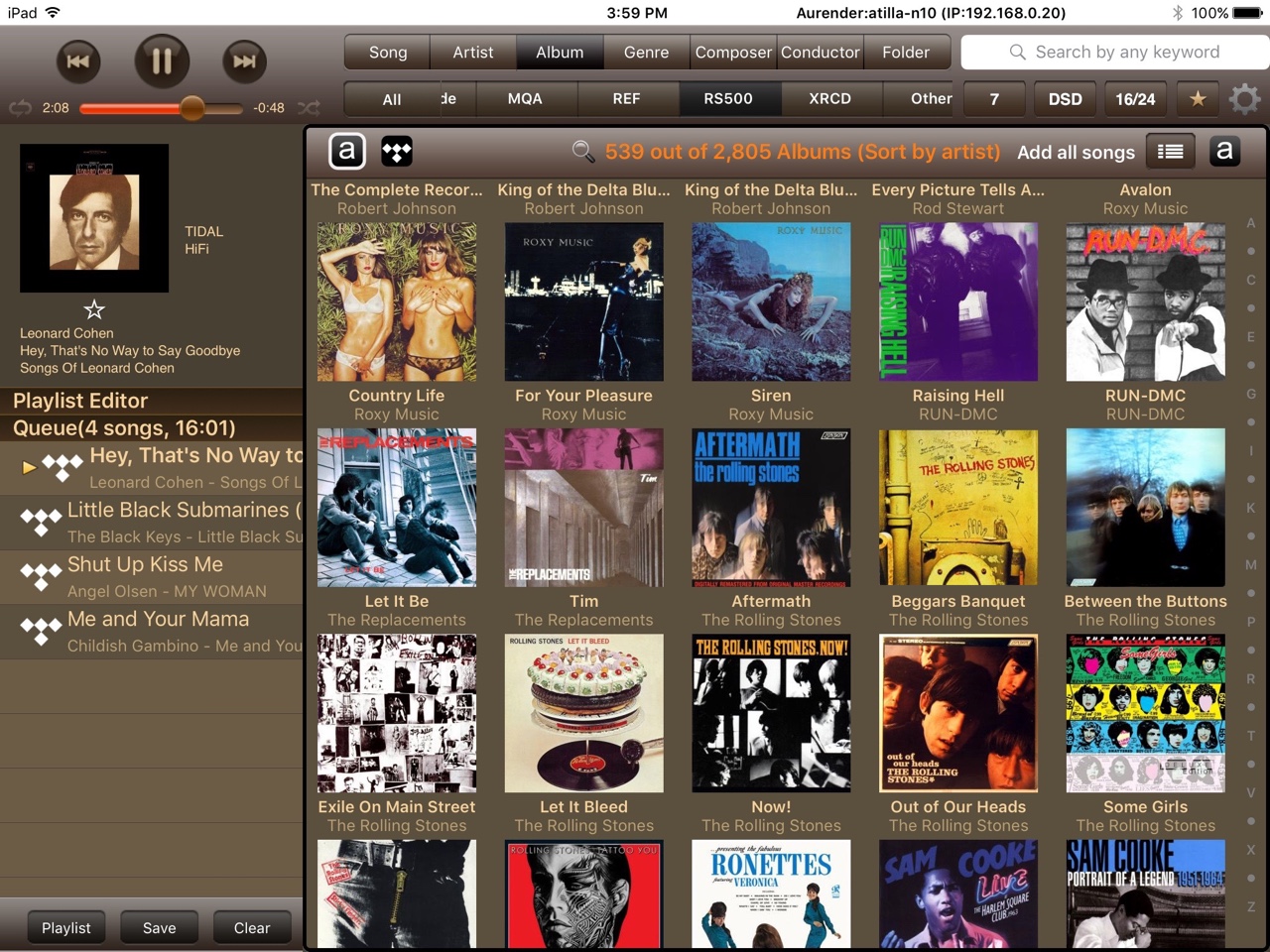
The last screen shot is from the iPad Conductor App used to interact with the excellent Aurender Digital Transports. This application sorts like Audirvana and JRiver with one very peculiar difference. Notice how The Rolling Stones is at the end of the Rs. The app somehow recognizes "The" but chooses to place these albums at the end of Rs versus in the Ts. This is particularly odd and we have reported to Aurender.
I am sure there are other differences as there are a plethora of music servers out there and subsequently digital library managers. You might be thinking is there anything that can be done to tune the sorting and the answer in some cases is yes and other cases no. The metadata in digital FLAC or ALAC files for example is quite extensive however different programs or even CD rippers don't use all the fields and even if the user adds additional sorting data there is no guarantee a specific library manager will use those fields.
So please anyone listening can we just agree on a sorting methodology?